Samsung Refrigerator Problems: 10 Common Issues, Ice Buildup & Error Codes
What common Samsung refrigerator symptoms and display codes mean, what you can safely check, and when to schedule a diagnosis.
Quick Answer
Samsung refrigerator troubleshooting depends on the exact display and model. OF OF usually means Cooling Off mode on supported models. Fan codes such as 21E and 22E refer to different cooling areas; they do not automatically prove the fan motor is bad. Save the code, measure both compartments and treat a frozen ice room separately from a whole-cabinet cooling failure.What To Check Before Replacing a Part
Write down the complete model number, photograph the display and measure both compartments with appliance thermometers. Note where frost, water or noise first appears. The same symptom can come from more than one part.Protect perishables first. If temperatures are rising after an outage, follow federal food safety guidance.
Samsung Refrigerator Symptom Checker
Start with the symptom you can observe.| Symptom | Safe first check | When to get help |
|---|---|---|
| Samsung refrigerator is not cooling but the lights work | Check Cooling Off and measure both compartments. | Check the cooling system if temperatures continue rising. |
| Freezer is cold but the fresh-food compartment is warm | Clear vents and photograph fresh-food frost. | Test the relevant fan, defrost system and wiring. |
| Ice maker freezes up or the bucket will not come out | Photograph frost without forcing the bucket. | Identify air leakage, ice-room and control faults. |
| Ice maker is empty although the dispenser has water | Check Ice Off, bin seating and freezer temperature. | Test ice fill and harvest operation for this model. |
| Ice is made but the dispenser only hums | Check the lock and loose ice clumps safely. | Inspect the auger drive and chute. |
| Fan buzzes or scrapes when the doors are closed | Record the sound, frost and exact display code. | Distinguish ice contact from a failed motor. |
| Water dispenser is slow or stops after replacing the filter | Check filter specification and visible supply tubing. | Trace dispenser or pitcher flow separately. |
| Water or ice appears under the crisper drawers | Record the first wet area and timing. | Trace supply and defrost-drain paths. |
| Temperature display flashes after a restart or warm load | Read the manual and compare actual temperatures. | Diagnose poor recovery or a returning error. |
| The refrigerator will not recover after a power interruption | Save codes before resetting and check the outlet safely. | Investigate recurring errors and continued warming. |
What Varies by Samsung Model
Samsung French-door, side-by-side, Bespoke and other models do not share one cooling circuit or reset sequence. The illustrated RF28R7351SR/AA-00 uses an enclosed ice room. Check the production suffix and display exactly; a freezer fan code and an ice-room fan code point to different areas.
Technician Tip
Photograph the product label and include the suffix. A part number from a similar-looking refrigerator can still be wrong for your model.
10 Common Samsung Refrigerator Problems
1Samsung refrigerator is not cooling but the lights work
Look for OF OF, O FF or OFF OFF before assuming a compressor failed. Those displays can indicate Cooling Off mode on supported models, especially after installation or control changes. Follow the manual for the exact panel. If cooling is enabled, measure both cabinets. A technician should check the cooling system when temperatures continue rising; the interior light only confirms part of the electrical system has power.Safe to check yourself
Check Cooling Off and measure both compartments.Requires professional diagnosis
Check the cooling system if temperatures continue rising.2Freezer is cold but the fresh-food compartment is warm
Samsung cooling layouts vary; some French-door models have separate evaporator areas. A cold freezer does not prove the fresh-food fan and defrost system are healthy. Clear visible vents and photograph frost on the refrigerator rear wall. If 22E or 22C appears, record it before resetting. A fan can be obstructed by ice, so replacing its motor without checking the frost source may not solve the problem.Safe to check yourself
Clear vents and photograph fresh-food frost.Requires professional diagnosis
Test the relevant fan, defrost system and wiring.3Ice maker freezes up or the bucket will not come out
Do not pry the bucket out or apply concentrated heat. Record where frost first appears and whether cubes are wet, fused or missing. A frozen ice room can involve air leakage, fan operation or the ice-making system; the remedy depends on the model and production version. Move perishables to reliable cold storage if following a manufacturer-approved defrost procedure. Recurring buildup needs diagnosis, not repeated forced resets.Safe to check yourself
Photograph frost without forcing the bucket.Requires professional diagnosis
Identify air leakage, ice-room and control faults.4Ice maker is empty although the dispenser has water
Check Ice Off, the seating of the bin and actual freezer temperature. Drinking-water flow does not prove that the separate ice fill circuit works. An ice maker needs the proper temperature, water supply and control signals to complete a cycle. Use the manufacturer procedure before pressing a test button, and avoid repeated tests. If a code such as 39E returns, send the code and model with the service request.Safe to check yourself
Check Ice Off, bin seating and freezer temperature.Requires professional diagnosis
Test ice fill and harvest operation for this model.5Ice is made but the dispenser only hums
Check the control lock and confirm the bucket is fully installed. Remove only loose clumped ice according to the manual, with the bin safely out of the appliance. The auger drive and ice-room fan serve different purposes even when they share an assembly. A full bucket with no dispensing calls for delivery-system checks rather than automatically replacing the ice maker.Safe to check yourself
Check the lock and loose ice clumps safely.Requires professional diagnosis
Inspect the auger drive and chute.6Fan buzzes or scrapes when the doors are closed
A noise that stops when a door opens can help locate a fan-related issue, but it is not a diagnosis by itself. Check for recurring frost and save any 21E, 22E or 40E display. Ice contacting a blade, a worn motor and an airflow problem require different repairs. Keep tools away from operating fans and leave internal panel removal to the technician.Safe to check yourself
Record the sound, frost and exact display code.Requires professional diagnosis
Distinguish ice contact from a failed motor.7Water dispenser is slow or stops after replacing the filter
Match the filter to the model and install it using Samsung instructions. Check the accessible shutoff and supply tubing. If the issue began immediately after replacement, inspect filter seating before buying a valve. If the AutoFill pitcher alone is affected on a model equipped with one, distinguish that function from ordinary dispenser flow so the correct circuit can be checked.Safe to check yourself
Check filter specification and visible supply tubing.Requires professional diagnosis
Trace dispenser or pitcher flow separately.8Water or ice appears under the crisper drawers
Dry the visible area and note where the water returns first. A supply fitting, dispenser spill and defrost drain can create different leak patterns. Close the accessible household water shutoff if the external line is leaking. Do not chip out a sheet of ice or puncture the liner. Share photos and whether the refrigerator also has fan noise or poor cooling.Safe to check yourself
Record the first wet area and timing.Requires professional diagnosis
Trace supply and defrost-drain paths.9Temperature display flashes after a restart or warm load
Compare the display behavior with the model manual and measure food-compartment temperature independently. A flashing temperature is not the same as a fan code. Leave room for airflow and reduce unnecessary door opening while observing recovery. If temperature does not improve or an error appears, record both readings and the display before arranging service. Do not keep resetting merely to stop the flashing.Safe to check yourself
Read the manual and compare actual temperatures.Requires professional diagnosis
Diagnose poor recovery or a returning error.10The refrigerator will not recover after a power interruption
Photograph any code before disconnecting power again. Check the household supply safely and confirm Cooling Off is not active. Samsung cautions against clearing codes before service because they help identify the fault. A single model-approved reset may be appropriate in a specified troubleshooting procedure; repeated resets are not a repair. A recurring 84C or continued warming needs professional diagnosis.Safe to check yourself
Save codes before resetting and check the outlet safely.Requires professional diagnosis
Investigate recurring errors and continued warming.Samsung Refrigerator Repair Cost Factors
| Repair area | What to ask about |
|---|---|
| Airflow and door sealing | Which part is blocked, worn or electrically faulty? |
| Ice and water | Is the restriction in the supply, filter, valve or ice maker? |
| Compressor or sealed system | Does the model warranty cover parts or labor? |
Samsung Refrigerator Error Code Table
| Code | What it means | What to check or report |
|---|---|---|
| OF OF / O FF / OFF OFF | Cooling Off mode on applicable controls. | Find the model-specific button procedure before changing settings. |
| 21E | Freezer fan feedback fault. | Check door closure and visible frost; recurring faults require diagnosis. |
| 22E / 22C | Refrigerator fan fault on applicable models. | Record frost and temperature. An ice obstruction and motor failure need different checks. |
| 39E / 39C | Ice maker function fault on supported models. | Save the code and describe whether the ice room is frozen or simply empty. |
| 40E / 40C | Ice-room fan fault on applicable models. | Report the exact model and ice buildup; do not force the bucket. |
| 84C | Compressor lock detection. | Arrange service. The code alone is not a complete repair diagnosis. |
How To Reset a Samsung Refrigerator Safely
- Photograph the code and note the current temperatures.
- Find the reset or alarm acknowledgment procedure in your exact model manual.
- If the code returns or temperatures continue to rise, arrange diagnosis.
Maintenance Checklist
- Keep visible cabinet air vents clear.
- Check the door gaskets and drawer closure.
- Use the filter specified by the manufacturer and follow its replacement instructions.
- Follow model-specific instructions for accessible condenser cleaning. Leave electrical panels and refrigerant work to a technician.
Is a Samsung Refrigerator Worth Repairing?
| Factor | What to compare |
|---|---|
| Quote and warranty | Diagnosis, parts, labor and remaining manufacturer coverage |
| Age and condition | Prior repairs, seals, cabinet and other symptoms |
| Replacement | Like-for-like price, fit, delivery and installation |
Samsung Refrigerator Repair Across Tampa Bay
See Samsung appliance repair and our Tampa Bay refrigerator repair service. Share your ZIP code and model when booking to check availability.Samsung Refrigerator Troubleshooting FAQ
Does a Samsung 22E code mean I need a new fan?
Not necessarily. It identifies a refrigerator fan fault on applicable models, but ice can obstruct an otherwise working fan. Record frost and temperatures so the fan, wiring and cause of any ice buildup can be checked.
Should I keep resetting the refrigerator?
Save the exact code first and follow the model instructions. If it returns or the appliance continues warming, check temperatures and arrange diagnosis.
What should I tell the technician?
Send the full model number, the exact display code, both compartment temperatures and when the symptom started. Include any recent outage, filter change or move.
Technical References
- Samsung manufacturer code reference
- Additional manufacturer instructions
- Model-specific reference
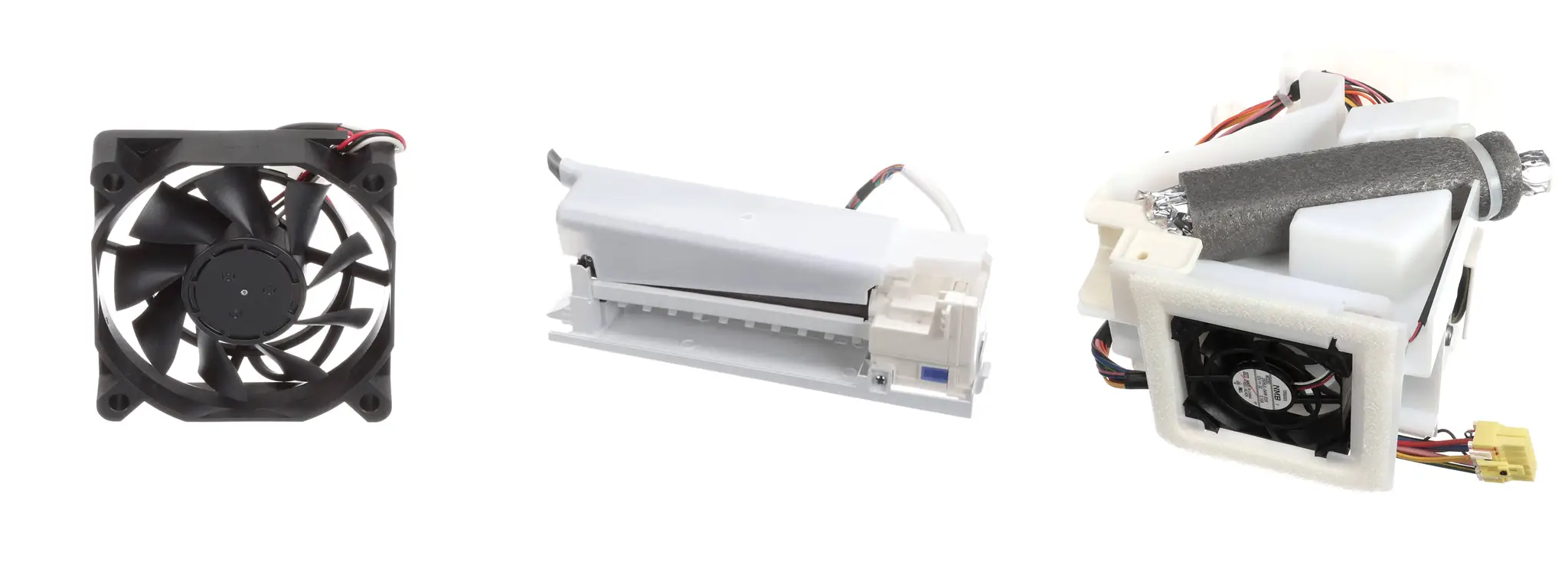
- Component photo references: Samsung parts DA31-00070E fan, DA97-15217D ice maker, and DA97-12540G auger assembly.
Still Not Sure What Failed?
Send the model, exact code and both temperature readings so we can identify the next check.